



Dynamic Adaptation Pathways For Each Neighborhood
Click on the accordion to learn more about Dynamic Adaptation Pathways (DAPs) and how to read the charts below.
The Dynamic Adaptation Pathways (DAP) framework is a planning tool that helps communities plan for the future by looking at the effectiveness of different solutions over time. The DAP framework uses a visual approach to present the different adaptation actions, shown as lines. The framework helps identify when certain actions are effective, when they start to lose their effectiveness, and when they reach a point where they can no longer achieve their intended goals. Once an action reaches this "tipping point," it might either stop or continue with reduced effectiveness. This could prompt communities to consider switching to a different adaptation action as the climate conditions change.
The left image is the DAP for that neighborhood with the solutions for a specific theme boxed in light grey. The right image is a neighborhood map that allows viewers to view the solutions in specific areas of the neighborhood.
The colors on the DAP associated with each action represent four themes: maintain character (purple), nature-based solutions (green), protect/connect (orange), and living with water (blue). As you move left to right along a pathway for a particular action, at key time steps you will encounter a “transfer station.” These transfer stations represent decision points and opportunities to transition or shift to a different action (i.e., move up or down along one of the vertical paths when a change in approach is decided upon due to variations in community desires, climatic conditions, or overall municipal policies).
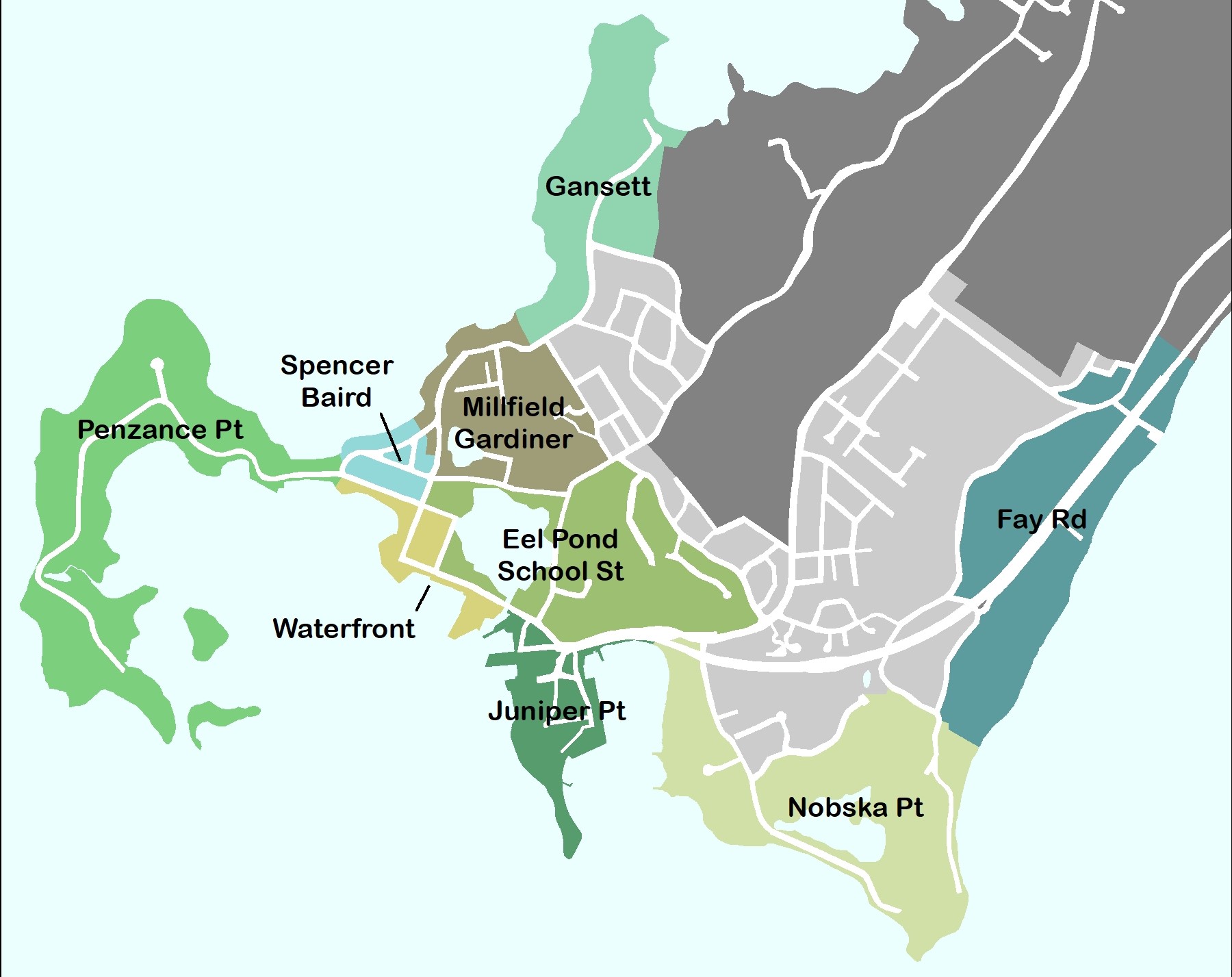 There are nine different neighborhoods in Woods Hole, including Penzance Point, Spencer Baird, Mill Pond (Millfield/Gardner), Gansett, Waterfront, Eel Pond, Juniper Point, Nobska Point, and Fay Rd.


